History of web development
TL:DR a summary of the evolution of web development. Expand to read it
Long ago, when dinosaurs still roamed the land, people created websites using just HTML (Hyper Text Markup Language). This meant that people really only put text on a website. You can still do that today, but it will look a lot like this document, except with images. Over time, new advancements in technology have allowed all sorts of users to share their knowledge in many ways. We can break the evolution of web development into 4 distinct eras:- The Static Era (Early - Mid 1990's)
- It's called static because there was little interaction
- A website was like a book with occasional pictures
-
The Dynamic Era (Late 1990's to Early 2000's)
- Interactivity was added with JavaScript and CSS (Cascading Style Sheets)
- Languages like Ruby on Rails and PHP allowed websites to talk with databases
-
The Framework and Mobile Era (Late 2000's to 2010's)
- Rise of Web 2.0
- Early social Media
- iPhones and smart phones
- React
-
Cloud and App Era (Late 2010's to present)
- Programs are now called apps
- Move from desktop to online (cloud based) apps
- AI integration
If you would like to learn more, read GeeksForGeek’s article about it.
Create your own website
Today you’ll be creating a website using Google Sites. This is a simple block builder that helps us think about creation, rather than coding. In a future class, we will learn how to use HTML to build something similar to what you create here.
These websites are going to be useful for portfolios, and e-commerce, but lack a lot of individualism that comes with using HTML.
Example website
Have a look at the following site for an example: Mr O’s top tens
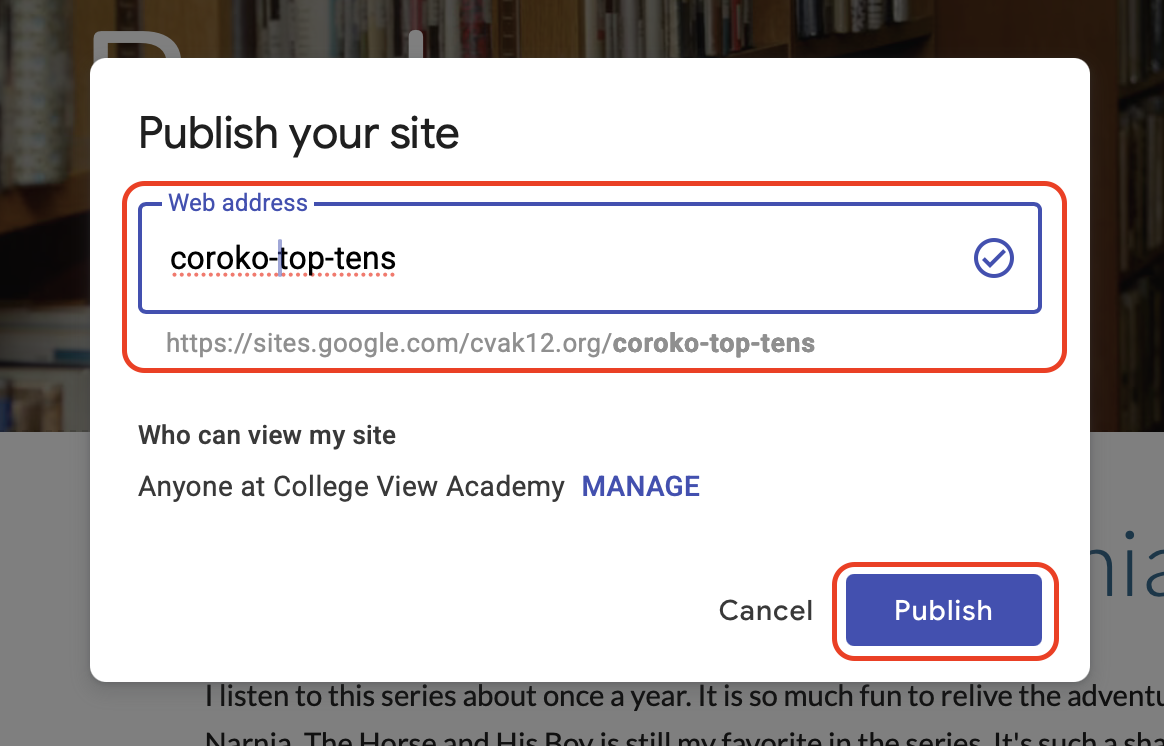
When setting your web address, be sure to prefix your website name with your username. For Mr O., it is coroko-
This way, you can easily find your website again.
Assignment
Go to Google’s support site for Google Sites and follow the instructions to create a new website. You should explore the website creation tools and build something that you may find interesting or useful. Here are some examples
- A My top ten website
Each page has a top ten list (games, movies, tv-shows, comics, basketball games) - A storefront
A site to sell you new wares. For example, I have been wanting to make a tea shop for a long time - About me
A site that tells others about you and your hobbies
Hand in your work
Publish your site
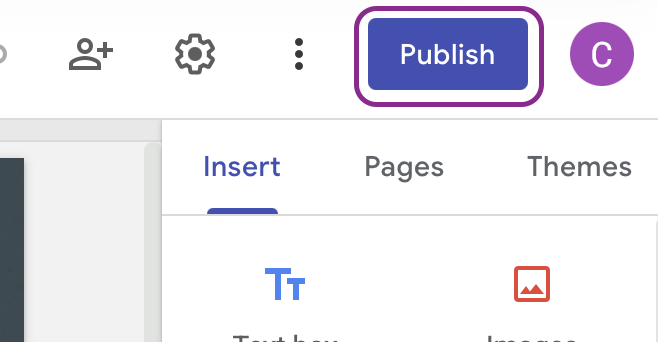
Once you are done, publish your first website using the publish button on the top right
In the dialog, enter the name of your website.
See Google’s help on publishing sites for more info
Send your site adddress to Mr. O
You can send your site url (web address) to coroko@cvak12.org, or by sharing the sites document with Mr. O at the same email
